For this week session is a very good we week that gives me more knowledge in the Web Application. This week also gives me to know what is Web and what is Internet.
What is the difference between Internet and Web?
Internet: is the largest network in the world that connects people/organization all over the world. It is also the global system interconnected networks that uses the standard internet protocol to serve billions of user.
Web: are contains hypertext links, or highlighted keywords and images that lead to related information and it a collection of electronic documents.
Web applications defined:
* A web application or Web Apps
- Internet Explorer
- Netscape
- Mozilla Firefox
- Safari
- Opera
Web Page
- Web document.
- HTML (Hyper Text Markup Language)

Types of Web:
1. Static web
- Is a "read-only web"
+ allows people to search for information and read it.
+ Example: web 1.0
2. dynamic web
+ Web interractions between people, software
+ Example: web 2.0 and 3.0
GENERATION OF THE WEB:
- 1st generation: Web 1.0
Examples: Information Website, Educational Web, Company Website.
2. 2nd generation: Web 2.0
3. 3rd generation: Web 3.0
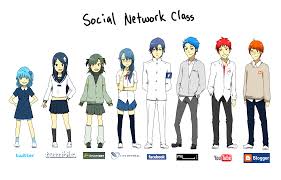 These are Categories of Web 2.0
1. Online Social Network.
2. Mashups and aggregators
For the information technologies and applications of Web 2.0 have:
* XML and AJAX are examples of Programming Language used in Web Applications.
* Programming Language: is a language for a programmer used to communicate with a computer.
TYPES OF PL
What is Google apps?
Google application is a series of applications from Google.
There is many types of Google applications:
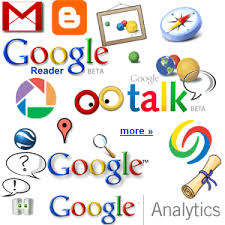
For the last part of Web Application lesson there are have many main point that related to the Google Application. These are some main point which I have learned from this lesson.
The first thing that we have to know about the Google Application. We should know what is Google Application?
Google Applications is a service from Google providing independently customizable versions of several Google products under a custom domain name.
For Example: Web applications including Gmail, Google Groups, Google Celandar, Talk, Docs and Sites.
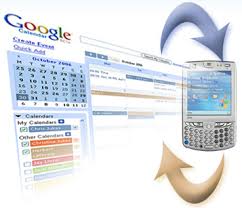
* Google Calendar: (http://calendar.google.com) keeps track of your events. You can easily add new calendar items and access them from anywhere, including your BlackBerry or iPhone.
Example:

 * Google Document: use to create, edit, and store documents, spreadsheets, an presentations, online with Google Documents (http://docs.goodle.com)
Google Doc tutorial:
https://sites.google.com/a/googleapps.com/google-apps-learning-center/docs
* Gmail: (www.gmail.com) is Google's solution to e-mail. It features a simple interface and a lot of cool innovations, such as conversations and labels.
Interactive tour of Gmail:

1. Online Social Network.
2. Mashups and aggregators
For the information technologies and applications of Web 2.0 have:
* XML and AJAX are examples of Programming Language used in Web Applications.
* Programming Language: is a language for a programmer used to communicate with a computer.
TYPES OF PL
- Divided into 2 types
- Low-Level Language such as Machine-dependent language (- Machine Language 1st generation PL and Assembly Language 2nd generation PL)
- High-Level Language: more user-friendly and there are three generations of HLL (3rd generation PL, 4th generation PL and 5th generation PL).
What is Google apps?
Google application is a series of applications from Google.
There is many types of Google applications:
- Google Applications Technology
- Messaging
- Calendaring
- Documents
- Video
- Sites
- Talk
- Maps
For the last part of Web Application lesson there are have many main point that related to the Google Application. These are some main point which I have learned from this lesson.
The first thing that we have to know about the Google Application. We should know what is Google Application?
Google Applications is a service from Google providing independently customizable versions of several Google products under a custom domain name.
For Example: Web applications including Gmail, Google Groups, Google Celandar, Talk, Docs and Sites.
* Google Calendar: (http://calendar.google.com) keeps track of your events. You can easily add new calendar items and access them from anywhere, including your BlackBerry or iPhone.
Example:
Google Doc tutorial:
https://sites.google.com/a/googleapps.com/google-apps-learning-center/docs
* Gmail: (www.gmail.com) is Google's solution to e-mail. It features a simple interface and a lot of cool innovations, such as conversations and labels.
Interactive tour of Gmail:

No comments:
Post a Comment